Understand your business bill
Your electricity bill should feel simple, not stressful. This page walks you through each part of your business bill in clear, friendly steps, so you always know what you’re looking at and what it means for your operations.
Think of it as a guided tour. We’ll show you where everything sits, why it’s there and how it all adds up, so you can stay on top of costs with confidence.
What’s on your bill
Here’s a quick look at the main sections you’ll see on your business bill. Click into each one to learn more.
1. Your account details
This section lists your key business information - your account number, supply address, NMI (National Metering Identifier) and bill issue date. These details help us quickly locate your account when you get in touch.

2. Amount due and due date
Right at the top, you’ll see how much is owing (including GST) and when payment is due.
If your account is in credit, your bill will show $0.00 due, and you can check your full credit balance in your bill summary.
If you have an outstanding balance from a previous bill, this section only shows new charges. The full total sits in the bill summary.

3. How to contact us
All our key contact numbers are here so it’s easy to reach us.
You’ll also find:
- Support and assistance program contacts
- Interpreter services
- National Relay Service information.
Whatever your business needs, we’re here to help.

4. Ways to pay
Here you’ll find every available payment method and the reference number required for each one.
It’s important to check your reference number each time you pay - sometimes these numbers change.

5. Your meter and readings
This section shows your meter type (basic or interval) and the meter readings used to calculate your bill.
Interval meters are also known as smart meters.

6. Your plan and charges
Your plan summary lists all active tariffs for your business, plus your Clean Energy subscription amount if that applies.

You’ll also see a clear breakdown of your charges on this page, including your balance prior to this bill, any new charges, and any credits applied. This includes:
- Previous and current meter reads (for basic meters)
- Your electricity usage in kWh or kW
- Your rate per kWh or kW and the total cost
- Daily supply charges
- Metering service charges
- Any donations or subscriptions
Everything is grouped clearly, so you can easily see where your costs come from and follow along with confidence.

If you choose to donate to the Royal Flying Doctor Service, your donation will appear on your bill under "Other Charges".
- Donations of $2 or more may be tax deductible
- No GST applies to donations
- You can download your history of bills (which show your donations) on My Account under “billing history”. Log in or register today.

If you have a smart meter, start and end readings will display as zero. This is because smart meters record and send detailed usage data across the whole billing period. That means your bill is based on the total energy recorded over time, rather than two individual meter reads.

7. Your usage and solar exports
Here you can compare your current electricity use - and any solar exports - against previous billing periods. Each bar represents one bill, making it easy to spot trends over time.
You can also see your average usage and export figures for the current billing period.

8. Extra information and messages
This section shows:
- Your next meter read date (for basic meters)
- Security deposit details
- Helpful messages like Direct Debit updates.

9. Payments and balances
This is where you’ll see:
- Payments received since your last bill
- Any outstanding amounts from previous bills.

Download the full bill guide 📩
Want a step by step guide you can save or print? We’ve got you covered.
👉 Download a guide to your business bill (PDF) (PDF 4.0 mb)
A simple, friendly breakdown of your bill with examples to make everything clearer.

A guide to collective billing
What is collective billing?
Collective billing keeps things simple by combining multiple charges or invoices into one easy bill. Instead of juggling lots of separate payments, you’ll receive one consolidated statement you can manage in one place. It makes tracking expenses, managing due dates and handling payments much easier - saving you time and reducing admin headaches.
Understanding your new collective bill
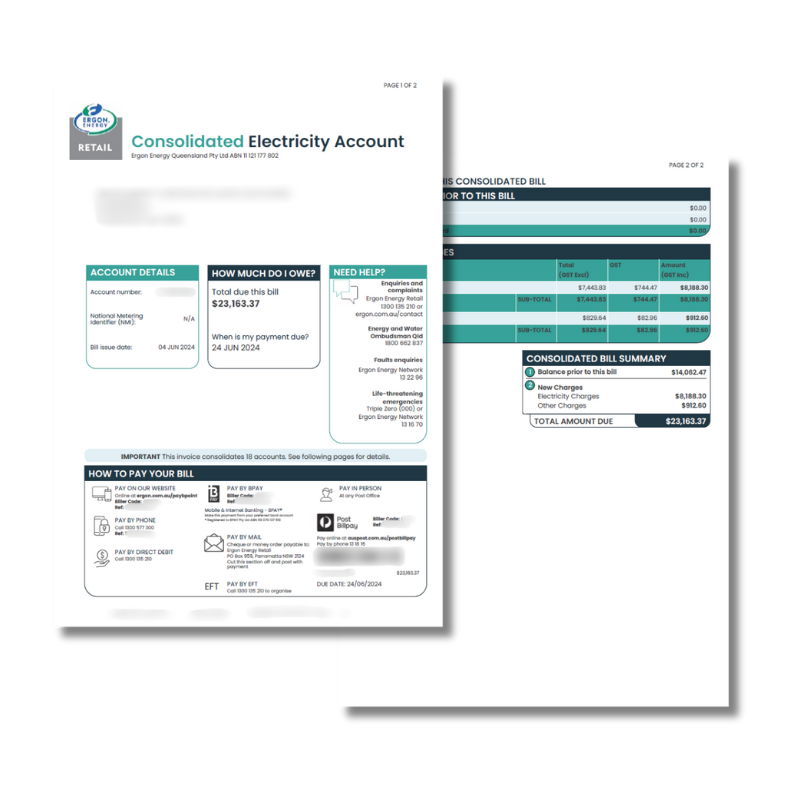
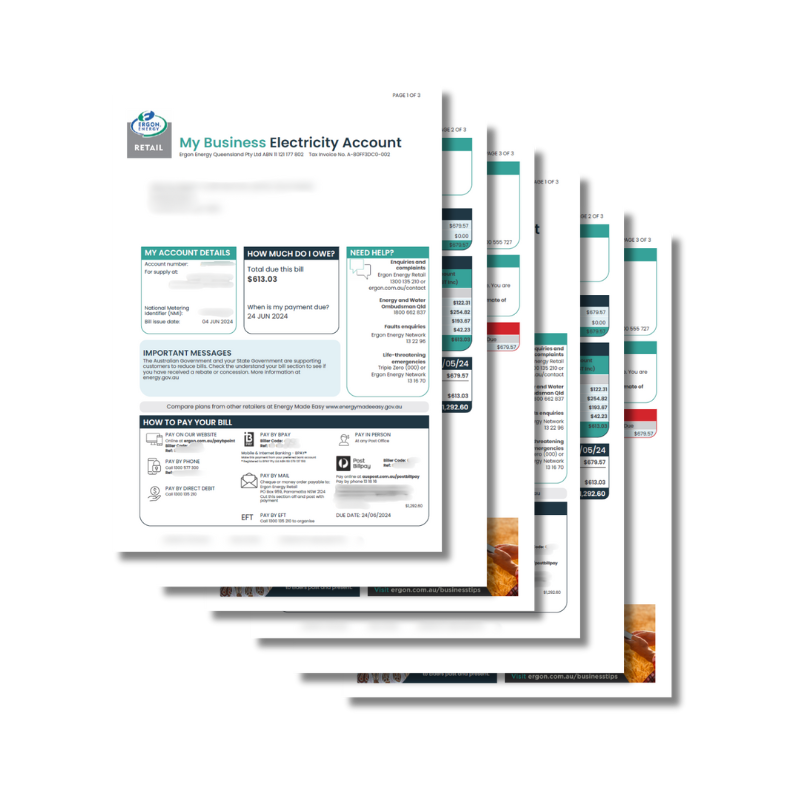
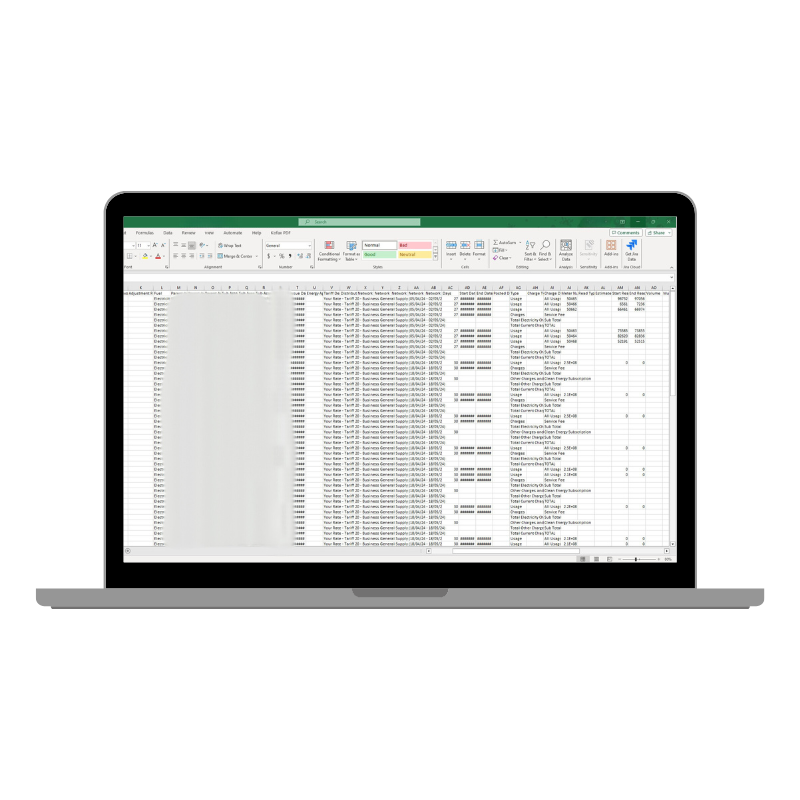
Your collective bill will come with three documents:
- PDF 1 - Collective Statement Summary
- PDF 2 - Invoices for each billed account
- .CSV File - A breakdown of usage and payments
If an account didn’t have any charges or payments this period, that NMI simply won’t appear on the invoice.
Collective Statement Summary
Because of this, the ‘balance prior to this bill’ may not match the previous invoice total unless all those accounts also appear in the new collective.
Accounts with an overdue or credit balance will only appear on future collective statements if they receive new charges or credits.
If your total credits exceed total charges, the summary will show a credit balance. In this case, we’ll need a remittance from you so we know how you’d like those credits allocated across your accounts.
How to pay a collective bill
You have the two following flexible options when paying your collective bill:
Option 1 – Pay the ‘Total Amount Due’ on each statement of PDF 2
This option works best when:
- Accounts have credit balances or carried‑forward charges
- You want to pay an amount that doesn’t match the combined total
- You prefer full control over how funds are allocated.
With this method, you decide how credits are applied. For example, you can keep a credit on an account to use on future bills.
A remittance is required for this option.
Please send all remittances to: EFTremittances@ergon.com.au
Option 2 – Pay the 'Total Due' on the collective statement summary (PDF 1)
This is a simple option when there are no amounts carried forward.
This figure is the combined balance of all billed accounts listed in PDF 2. It includes accounts in both credit and debit. By paying this amount, you’re agreeing to the transfer of funds between accounts.
A remittance is not required for this option.
If you still want to send one, you can forward it to: EFTremittances@ergon.com.au
If you have any questions, feel free to give our business team a call at 1300 135 210 - we’ll be happy to help and work through anything with you! We’re your partners in energy.
Collective billing FAQs
The .CSV shows my total balance is made up of a balance prior and new charges. How can I find the GST component for both the balance prior and the new charges to arrange payment?
You’ll need to look back at your previous collective statements to find the GST component for the prior balance.
I have received my most recent collective bill and want to confirm the amount to pay?
The required payment is the total amount due on the front page.
The lead statement only shows accounts included in this bill - you may still owe funds for accounts billed on earlier statements.
I have made a payment towards my previous collective bill though it doesn’t look my entire payment is showing on the most recent statement?
Any NMIs not included on this bill won’t display their previous payments.
Check that all NMIs from the last bill also appear on the new one.
If multiple accounts sit under one NMI, it’s possible the payment was allocated to an older account. Give us a call and we’ll help with a credit transfer.
If the total credits on the bill are made up of payments that I have made towards the account, how come the credit amount is much larger than the previous balance?
Credits can include:
- Payments you’ve made
- Bill reversals
- Rebates
- Transfers between constituents.
You can filter columns AG and AI in the CSV to see what’s included.
Can I set up a Direct Debit on My Account?
Not currently. Collective billing doesn’t support Direct Debit.
If you want Direct Debit, we’ll need to de‑consolidate your account first. Just contact us to chat about next steps.
When I log into My Account, my lead account advises that I have a credit balance?
My Account displays live balances.
If a credit appears on the lead account, it usually means a payment hasn’t yet been allocated across all constituents - often due to a missing remittance.
When I log into My Account, it takes a long time to load or I am not able to view anything?
My Account is designed for residential and small business customers.
Large account portfolios aren’t fully supported yet, but our technical team will continue to make improvements to My Account over time.
One of my accounts has a credit balance, can I arrange a refund of this credit balance?
Yes - credit balances can be refunded.
Just remember the credit forms part of the total due on your lead account, so a refund may change what’s owed.
I made payment for my last collective bill in full though the account still shows that I have an opening balance?
Each constituent account keeps the balance it had when it last appeared on a collective bill.
Payments appear as batch transfers, and the balance prior on the lead account totals all opening balances across constituents.
Can I transfer the credit balance from one of my accounts to another
Yes - just include the details in your remittance.
Send remittances to EFTremittances@ergon.com.au